Parent communication
A parent communication app for your school
Most schools reach parents through a mix of printed circulars, a WhatsApp group that never goes quiet, and phone calls from the front desk. Notices get lost, and private matters end up in front of a hundred other parents.
SchoolEasy gives parents one app for everything the school sends them, and gives the school control over who hears what.
Good morning
Mrs Okafor
Attendance
96%
Position
3rd
of 32 in JSS 2 A
Today’s classes
Absence alerts by text and app
When a student is marked absent, their parents get a text message and an app notification straight away. Text messages reach any phone, so parents without a smartphone aren’t left out.
- SMS to any phone
- App notifications
- Sent as soon as the register is marked
SchoolEasy
Tue, 13 Oct
Absent today: Chidi Okafor was marked absent on 2026-10-13.
Today 8:47
Absent today: Chidi Okafor was marked absent on 2026-10-27.
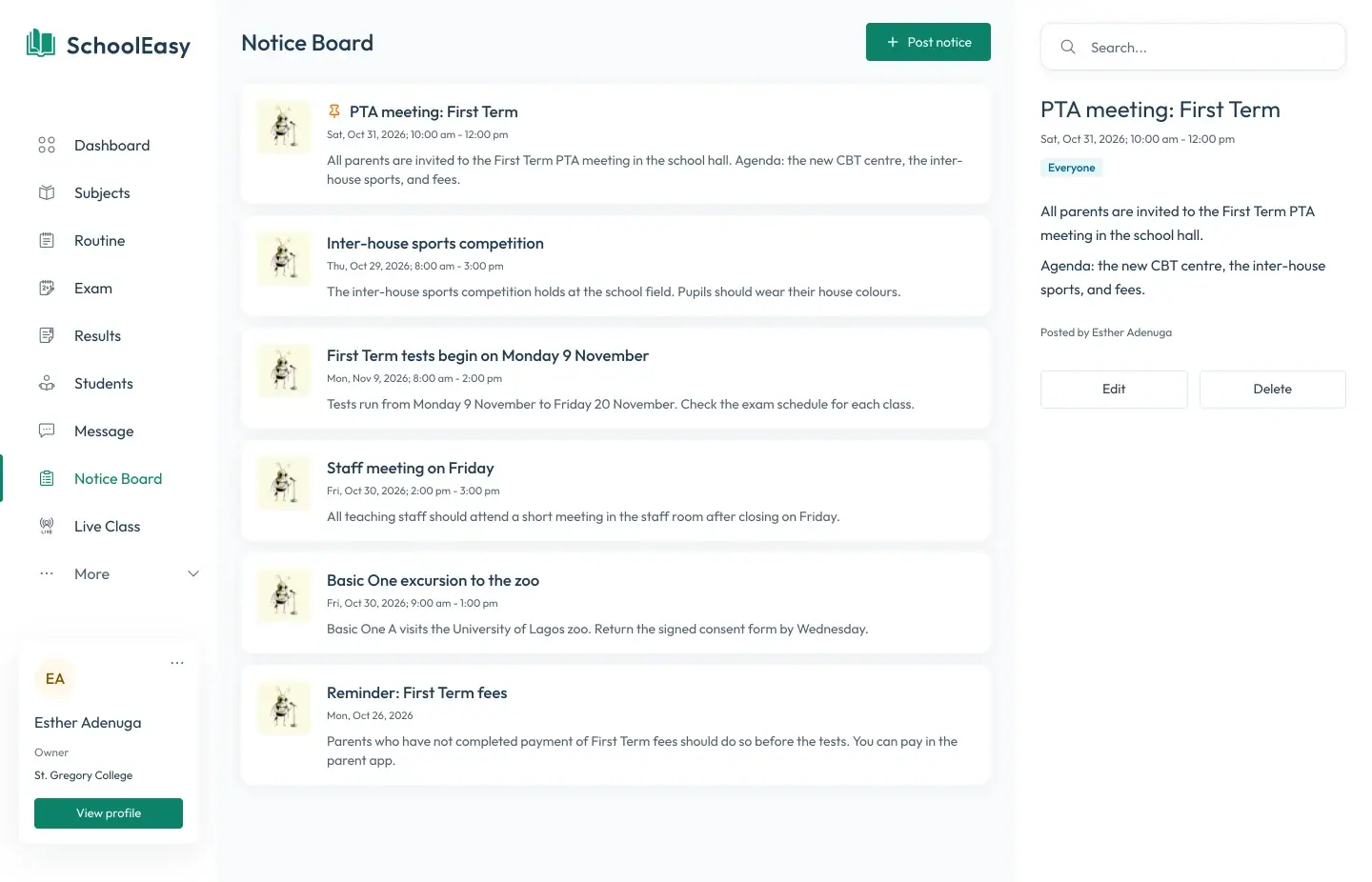
Notices to everyone, or to one class
Post a notice to the whole school, to parents only, or to chosen classes, with an event date if there is one. PTA meetings, inter-house sports, and mid-term breaks reach the right families, and nothing gets lost in a group chat.
- Audiences from everyone to one class arm
- Event dates on notices
- Push notifications in the parent app
Private messages with teachers
Parents message their children’s teachers and the school admin directly, so a question about one child stays between the parent and the school. The school decides who may message whom.
- Direct messages to teachers and the admin
- Rules set by the school
- Read receipts
Results, notes, and fees in the same app
Parents read each term’s report card the moment it’s published, follow the week’s lesson notes, check the timetable, and pay fees through Paystack. One sign-in covers every child they have at the school.
- Report cards and lesson notes
- Fee balances and Paystack payments
- One sign-in for every child
Questions
Common questions
Do parents need a smartphone?
Not for absence alerts, which arrive by text message on any phone. The parent app needs an Android phone or iPhone and brings in report cards, notices, messages, and fees.
Does the app cost parents anything?
No. Parent accounts are included in the school’s plan.
How do parents sign in?
With their phone number or email address and a one-time code that SchoolEasy sends them. There’s no password to remember.
Can any parent message any teacher?
Parents can message their own children’s teachers and the school admin. The school can change who may message whom in its settings.
When is the app available?
The parent app is coming to the App Store and Google Play. Until then, parents get absence texts and notifications from SchoolEasy.
School management made effortless.
We strive to build the best school management software for schools from all over the world.
Available soon on all digital platforms