Results and report cards
Compute results and print report cards without the spreadsheet
At the end of every term, teachers copy scores into a spreadsheet, form teachers chase the missing ones, and someone stays late working out positions and typing remarks into a report card template. One wrong formula and a whole class’s positions are off.
SchoolEasy does the arithmetic. Teachers enter scores once, and SchoolEasy grades them, ranks each class, and produces report cards you can print or publish to parents.
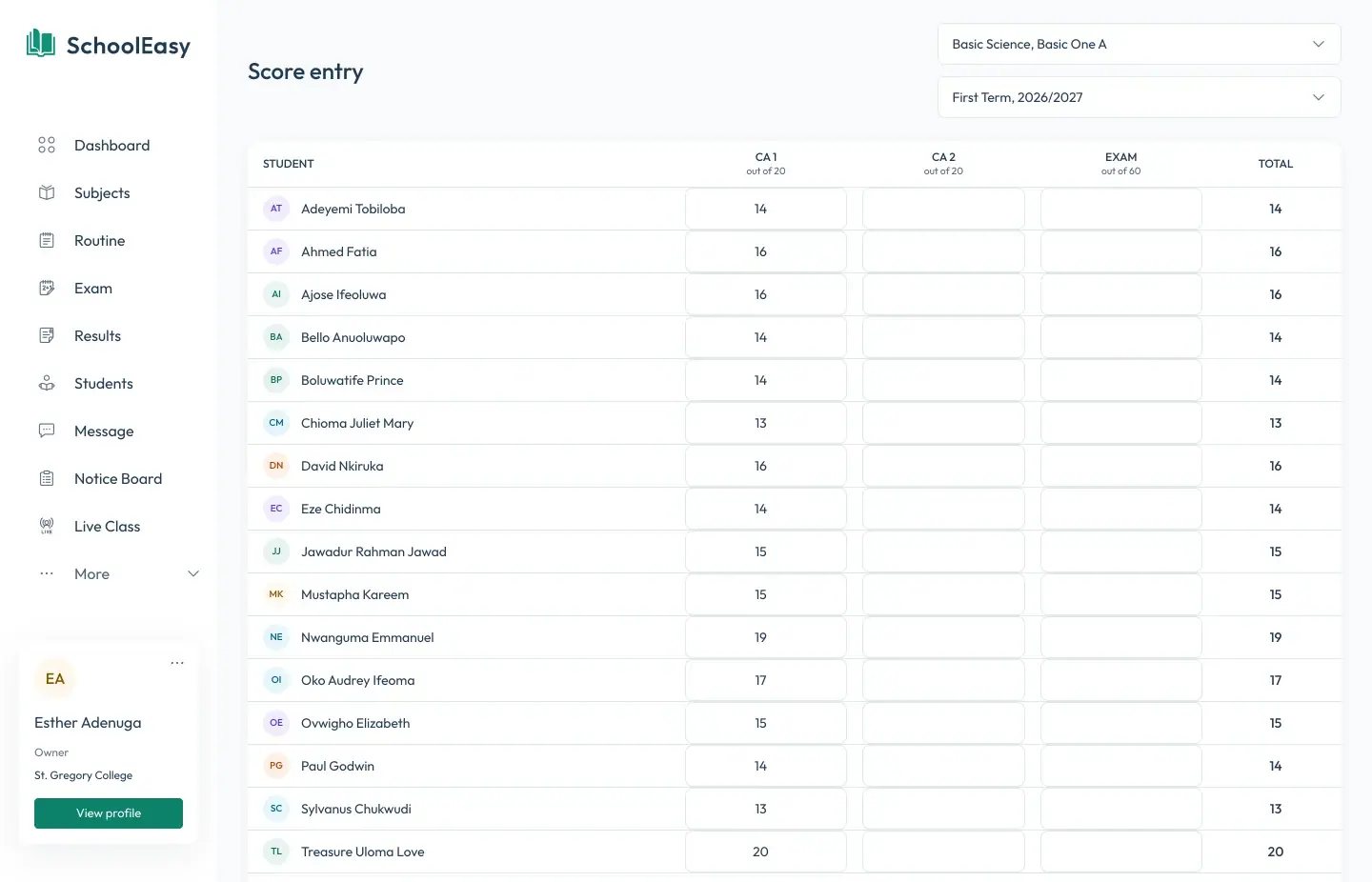
Score entry that matches how you assess
Set up your assessment components for each section, such as CA 1 out of 20, CA 2 out of 20, and the exam out of 60, adding up to 100. Subject teachers enter each component for their own classes, and the totals fill in as they type. A CBT test can send its score straight into a component.
- Your own CA and exam components
- Teachers enter only their own subjects
- CBT scores flow into the score sheet
Grades, averages, and positions worked out for you
SchoolEasy grades each subject against your grading scheme. Secondary schools start with the WAEC scale from A1 to F9, primary schools start with A to F, and you can change the bands and remarks. When you publish, it computes each student’s total, average, and position in the class.
- WAEC A1 to F9 or your own bands
- Totals and averages per student
- Class positions computed on publishing
A complete report card, not just a score sheet
Each report card carries the subject scores and grades, the student’s attendance for the term, affective and psychomotor ratings from 1 to 5, the form teacher’s and principal’s remarks, and the date next term begins.
- Attendance summary for the term
- Affective and psychomotor ratings
- Form teacher’s and principal’s remarks
Publish to parents, or print
Results stay in draft until you publish them, so nothing reaches a parent before the principal has checked it. Publishing notifies parents, who open the report card in the parent app. Every report card is also a PDF, ready to print.
- Drafts until you publish
- Parents notified on publishing
- PDF report cards for printing
Academics
Lesson notes
Questions
Common questions
Can we use our own grading scale and remarks?
Yes. Each section has its own grading scheme. Secondary starts with the WAEC A1 to F9 scale and primary with A to F, and you can edit the score bands, grades, and remarks to match your school’s.
Can we weight CA and exams differently?
Yes. You define the components and their maximum scores, such as two CAs of 20 and an exam of 60, as long as they add up to 100.
Does it calculate class positions?
Yes. When you publish a term’s results, SchoolEasy computes each student’s total, average, and position in their class.
Can parents see results before we’re ready?
No. Results stay in draft until the school publishes them. Parents are notified only after publishing.
Can we still print report cards?
Yes. Every report card is available as a PDF that you can print or send.
School management made effortless.
We strive to build the best school management software for schools from all over the world.
Available soon on all digital platforms